The poinsettia template, flat and folded
What this template is for
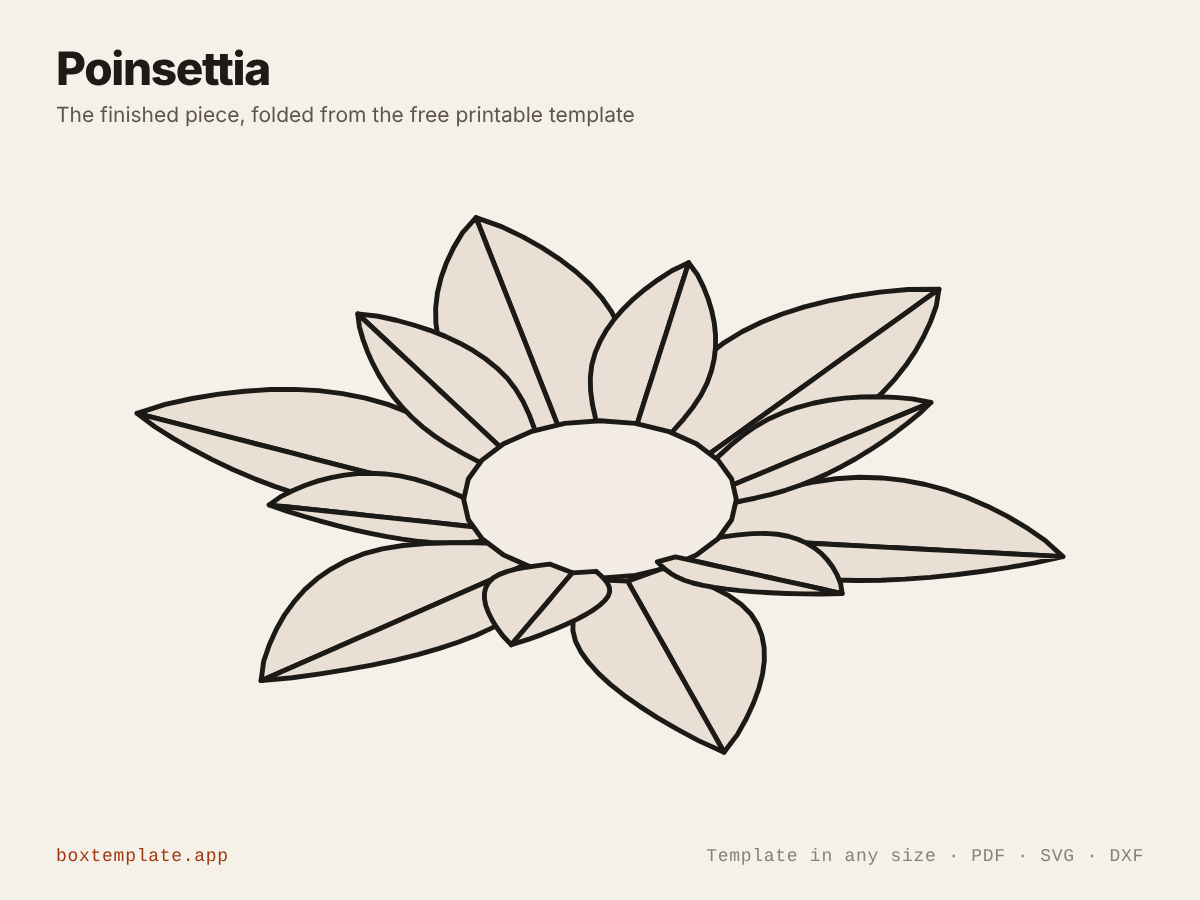
The Christmas flower in paper: layers of pointed red leaves round a small centre, each leaf creased down the middle. Tree toppers, wreaths, table decorations, gift toppers and Christmas cards.
Also called paper poinsettia · poinsettia flower template · christmas paper flower · poinsettia ornament — all the same shape, and this is it.
- Christmas tree toppers and ornaments
- Wreaths and garlands
- Table centrepieces and place settings
- Christmas cards and gift toppers
How to use this template
All four downloads are the same poinsettia at the same size — only the format changes.
Which file goes where: PDF, PNG, SVG or DXF
- PDF printing at home
- Print at 100 per cent, or hand it to a print shop as "actual size, no scaling".
- PNG 300 dpi Canva, Photoshop, Procreate
- Upload, lock it in place and design your poinsettia on top. Free plan and phone included. Full Canva walkthrough →
- SVG Cricut, Illustrator, Inkscape, Affinity
- Vector, with cuts, folds and labels on separate layers. Cricut and Silhouette walkthrough →
- DXF Silhouette, laser and vinyl cutters
- Two layers, CUT and FOLD — and the one free Silhouette Studio Basic will open.
Getting it printed properly → · Putting your own design on it →
Printing it
- Type your size above, then download the PDF.
- Print at 100% — never “fit to page”, or every measurement comes out wrong.
- Too big for the paper? Pick your paper size and leave Fit the pieces to the page ticked: each piece gets its own place on a sheet and the PDF comes out with every page in it, nothing cut in half and nothing to tape.
How to put it together
These pictures are the poinsettia itself, not a generic diagram — change the measurements above and the template changes, but the steps never do. The names in capitals are the labels printed on the template.
-
Cut the solid lines
Every solid line is a cut. Do the inside shapes first, while the sheet is still whole and easy to hold.
-
Score every dashed line
Dashed lines are folds. Score each one first — an empty ballpoint against a ruler — or the card cracks along the outside of the bend.
-
Step by step
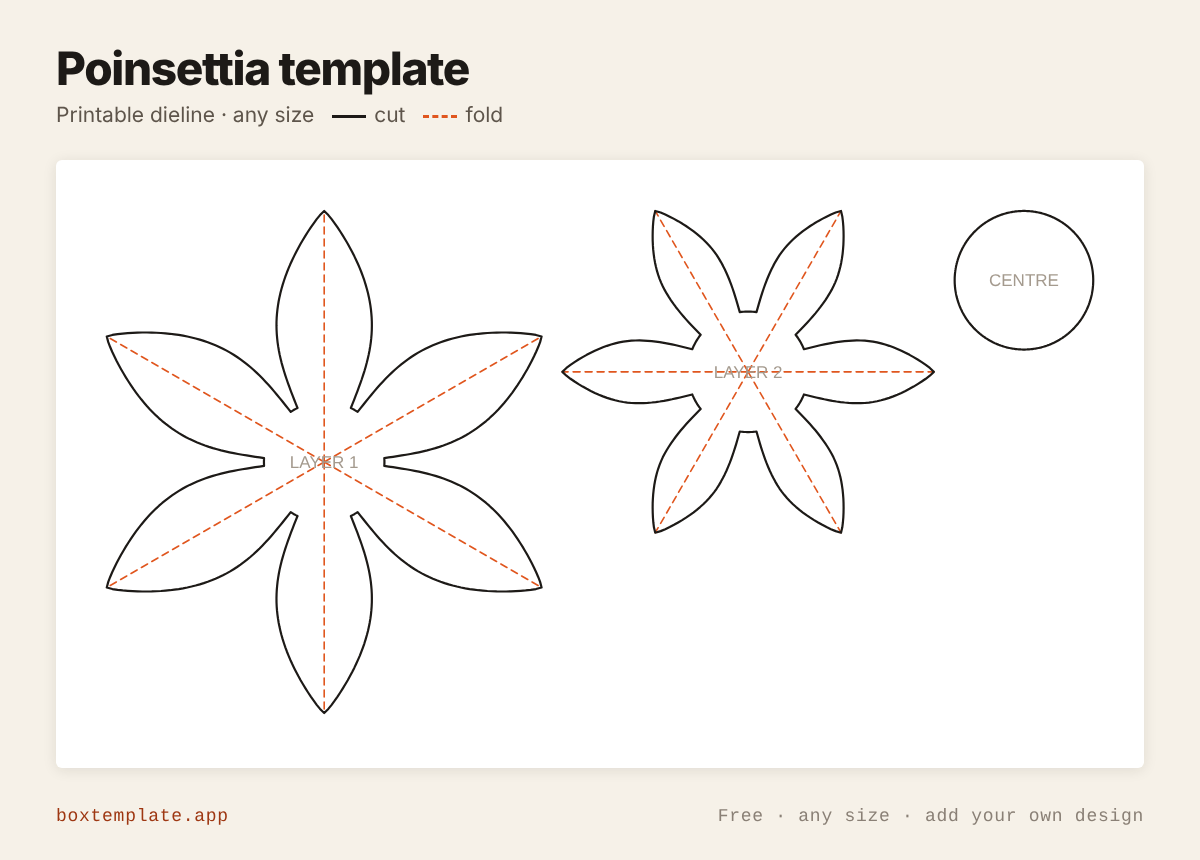
- Cut out each LAYER and the CENTRE.
- Crease every leaf along its dashed line, so it folds into a shallow ridge.
- Glue LAYER 2 on top of LAYER 1 at the middle, turned so its leaves sit between the leaves below.
- Glue the CENTRE on top, or a few yellow beads instead.
Glue: a glue stick for paper, white PVA on card — hold each seam thirty seconds, and let it dry before you use it.
Questions about the poinsettia
What size is it?
The default flower is 145 mm across with two layers of six leaves, the second layer 0.74 of the first and turned half a leaf. Both layers and the centre print on one A4 or US Letter sheet. A third layer makes it fuller.
How do the leaves fold?
Every leaf has a crease from the middle of the flower to its tip. Fold each one so the leaf makes a shallow ridge, like a real bract; the creases all meet in the middle, which then cups slightly. Leaves are drawn at least 2 mm apart, so they cut cleanly.
Which paper should I use?
Red card of 160 to 220 gsm for the leaves, a smaller green layer underneath for the foliage if you like, and yellow for the centre, or glue small yellow beads or pom-poms there.
Templates like this one

All decor templates · See all 164 templates · For Canva · For Cricut · For Etsy sellers · Getting it printed
Collections: Wedding and party favour box templates · Christmas box templates · Food box templates · Diwali mithai box templates