The number box template, flat and folded
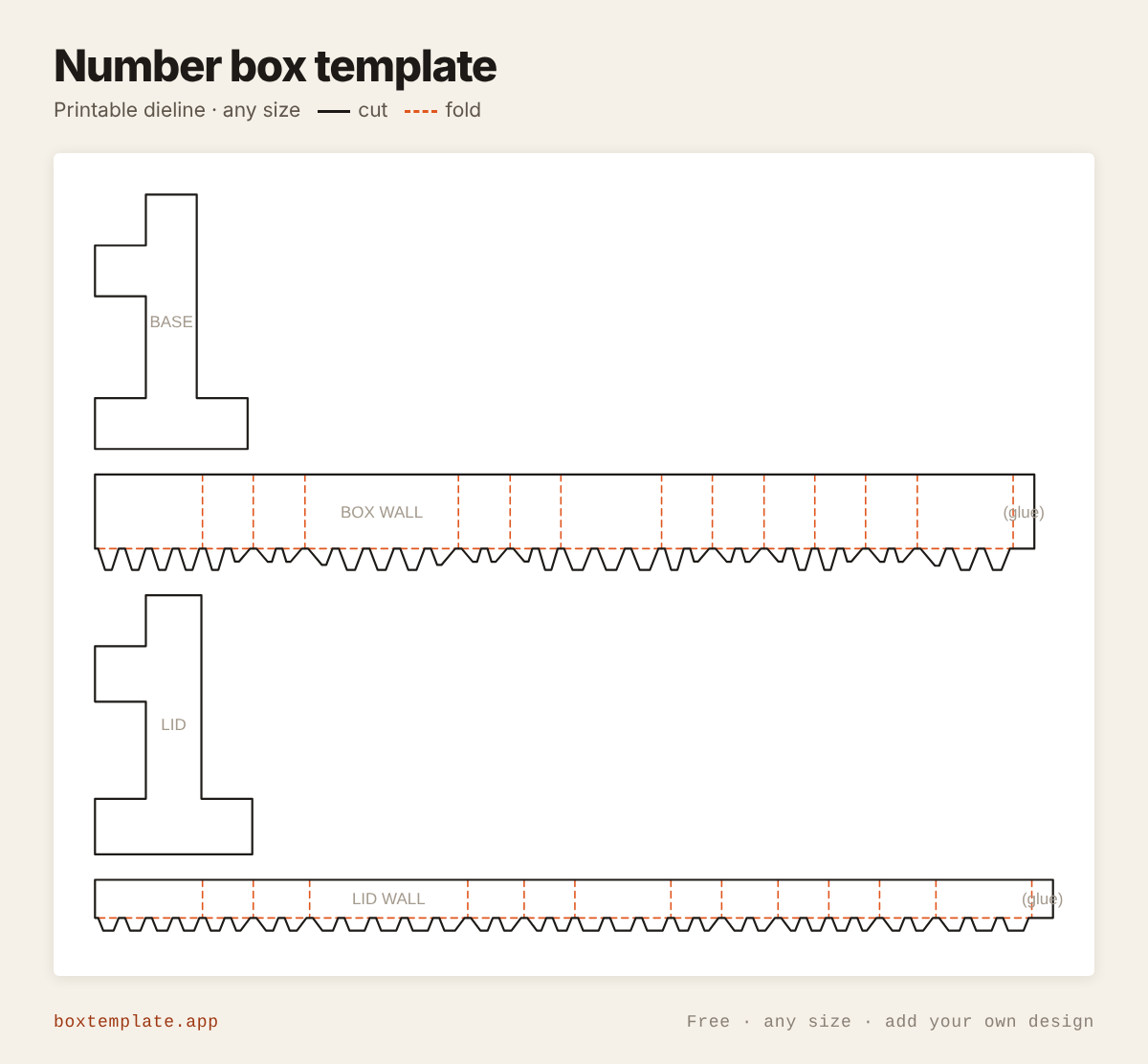
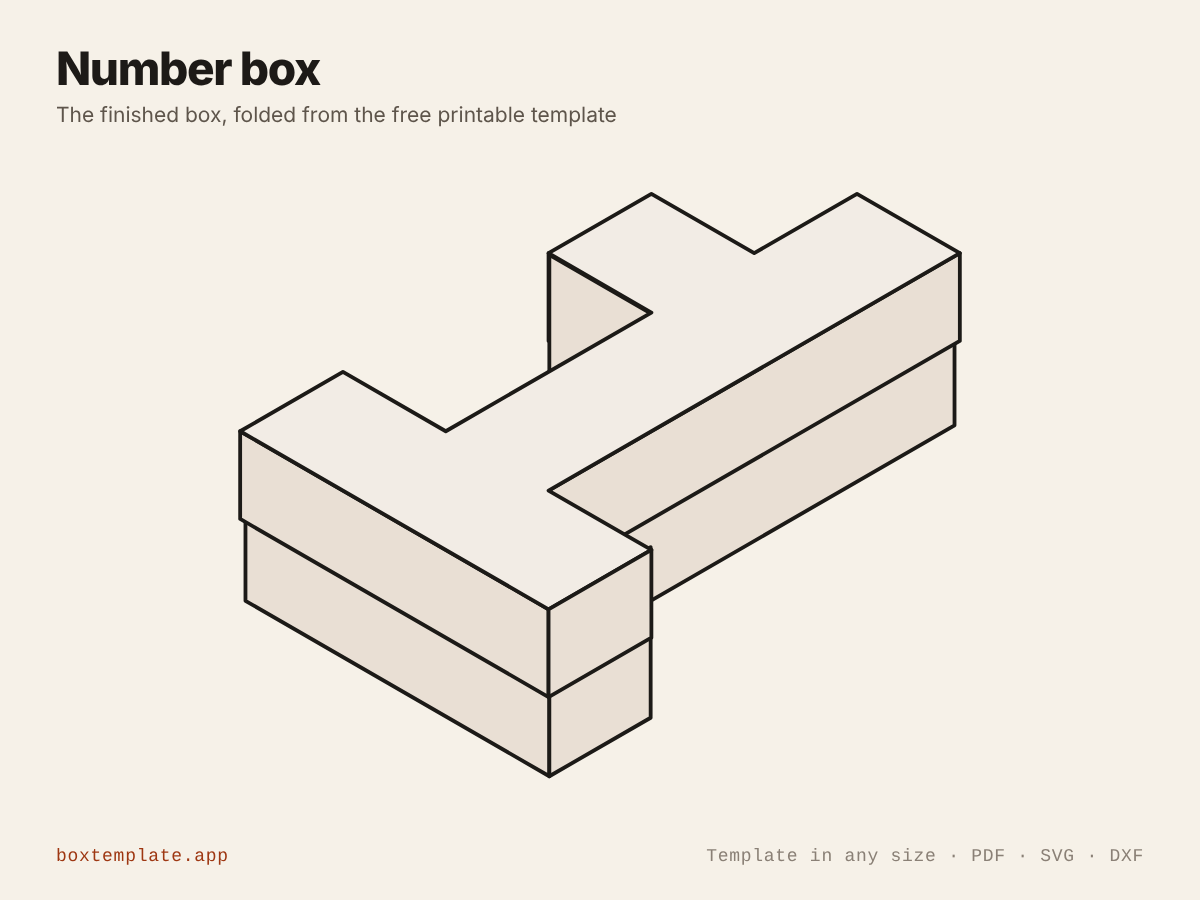
What this template is for
A box in the shape of a number, 0 to 9, with a lift-off lid: chunky block digits creased at every corner, the holes in 0, 6, 8 and 9 walled right through. Birthdays, anniversaries, number cakes of sweets and mini piñatas.
Also called number box · 3d number box · birthday number box · mini pinata — all the same shape, and this is it.
- Birthday number boxes and cakes of sweets
- Anniversary and milestone gifts
- Mini piñatas and party favours
- Number decorations and photo props
How to use this template
All four downloads are the same number box at the same size — only the format changes.
Which file goes where: PDF, PNG, SVG or DXF
- PDF printing at home
- Print at 100 per cent, or hand it to a print shop as "actual size, no scaling".
- PNG 300 dpi Canva, Photoshop, Procreate
- Upload, lock it in place and design your number box on top. Free plan and phone included. Full Canva walkthrough →
- SVG Cricut, Illustrator, Inkscape, Affinity
- Vector, with cuts, folds and labels on separate layers. Cricut and Silhouette walkthrough →
- DXF Silhouette, laser and vinyl cutters
- Two layers, CUT and FOLD — and the one free Silhouette Studio Basic will open.
Getting it printed properly → · Putting your own design on it →
Printing it
- Type your size above, then download the PDF.
- Print at 100% — never “fit to page”, or every measurement comes out wrong.
- Too big for the paper? Pick your paper size and leave Fit the pieces to the page ticked: each piece gets its own place on a sheet and the PDF comes out with every page in it, nothing cut in half and nothing to tape.
How to put it together
These pictures are the number box itself, not a generic diagram — change the measurements above and the template changes, but the steps never do. The names in capitals are the labels printed on the template.
-
Cut the solid lines
Every solid line is a cut. Do the inside shapes first, while the sheet is still whole and easy to hold.
-
Score every dashed line
Dashed lines are folds. Score each one first — an empty ballpoint against a ruler — or the card cracks along the outside of the bend.
-
Step by step
- Cut out every piece and the holes in the BASE and the LID, and score every dashed line.
- Glue the BOX WALL round the edge of the BASE, creasing it at every corner, with its tabs glued under the base.
- For a 0, 6, 8 or 9, glue each HOLE WALL round its hole the same way, its tabs on the base round the hole.
- Make the LID the same way with the LID WALL, and each LID HOLE WALL inside its hole.
- Fill the box and put the lid on.
Glue: a glue stick for paper, white PVA on card — hold each seam thirty seconds, and let it dry before you use it.
Questions about the number box
What size is it?
Set the height of the number. Every digit is drawn on a grid three cells wide and five tall, so a 120 mm number is 72 mm wide with strokes 24 mm thick. The box is 35 mm deep with an 18 mm lid by default; its walls print in sections on A4 or US Letter.
How are the holes in 0, 6, 8 and 9 made?
Each hole is cut out of the base and the lid and has a wall of its own, glued round it by tabs on the base. The lid’s holes are drawn smaller by a board and the lid clearance, so the lid’s hole walls drop inside the box’s.
Can I make two digits?
Yes: make each digit as its own box, for example a 2 and a 1 for a 21st. Fill them with sweets, or leave the lid off and stuff them with crepe-paper fringe for a mini piñata.
Templates like this one
See all 164 templates · For Canva · For Cricut · For Etsy sellers · Getting it printed
Collections: Wedding and party favour box templates · Christmas box templates · Food box templates · Diwali mithai box templates