The table tent template, flat and folded
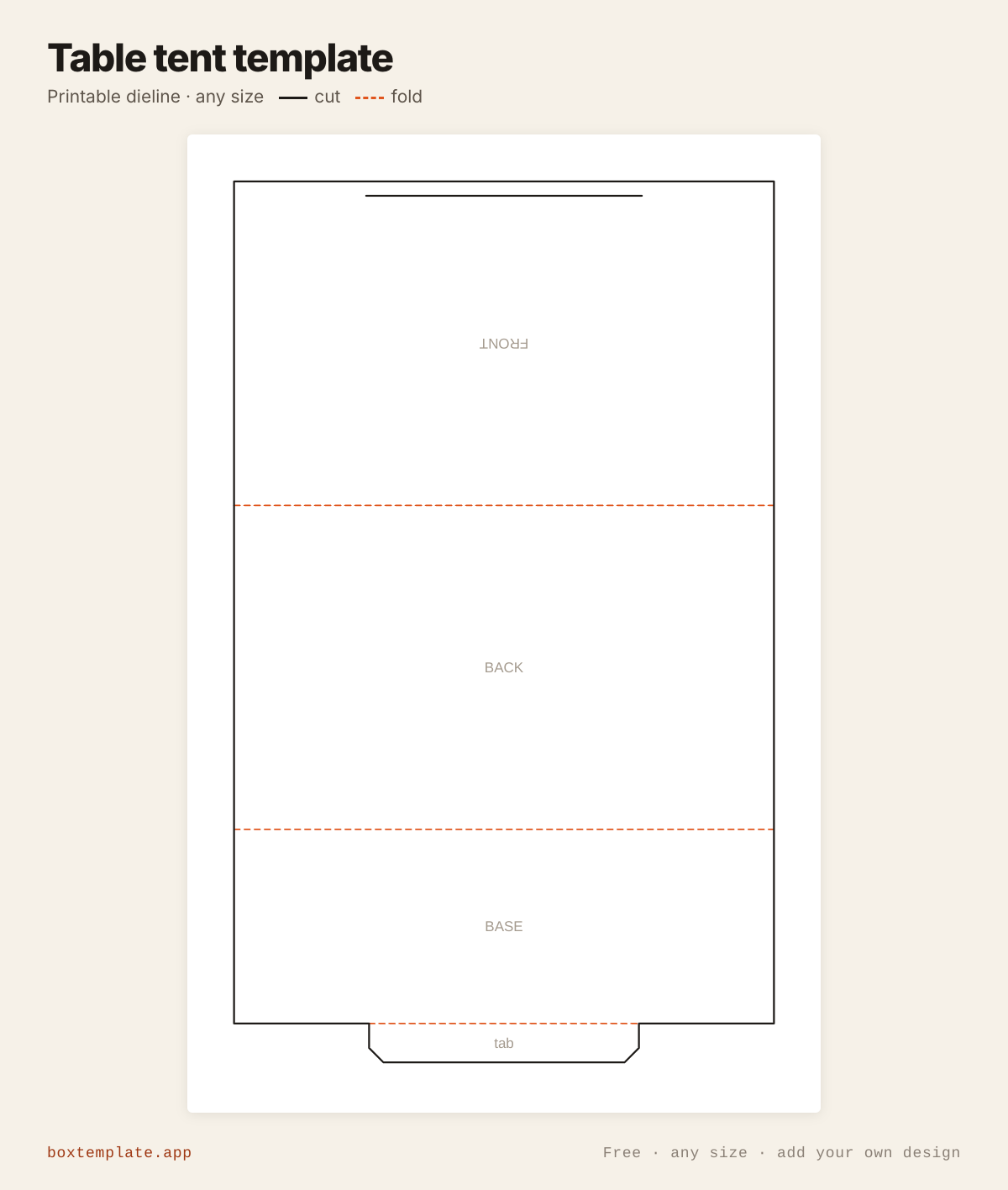
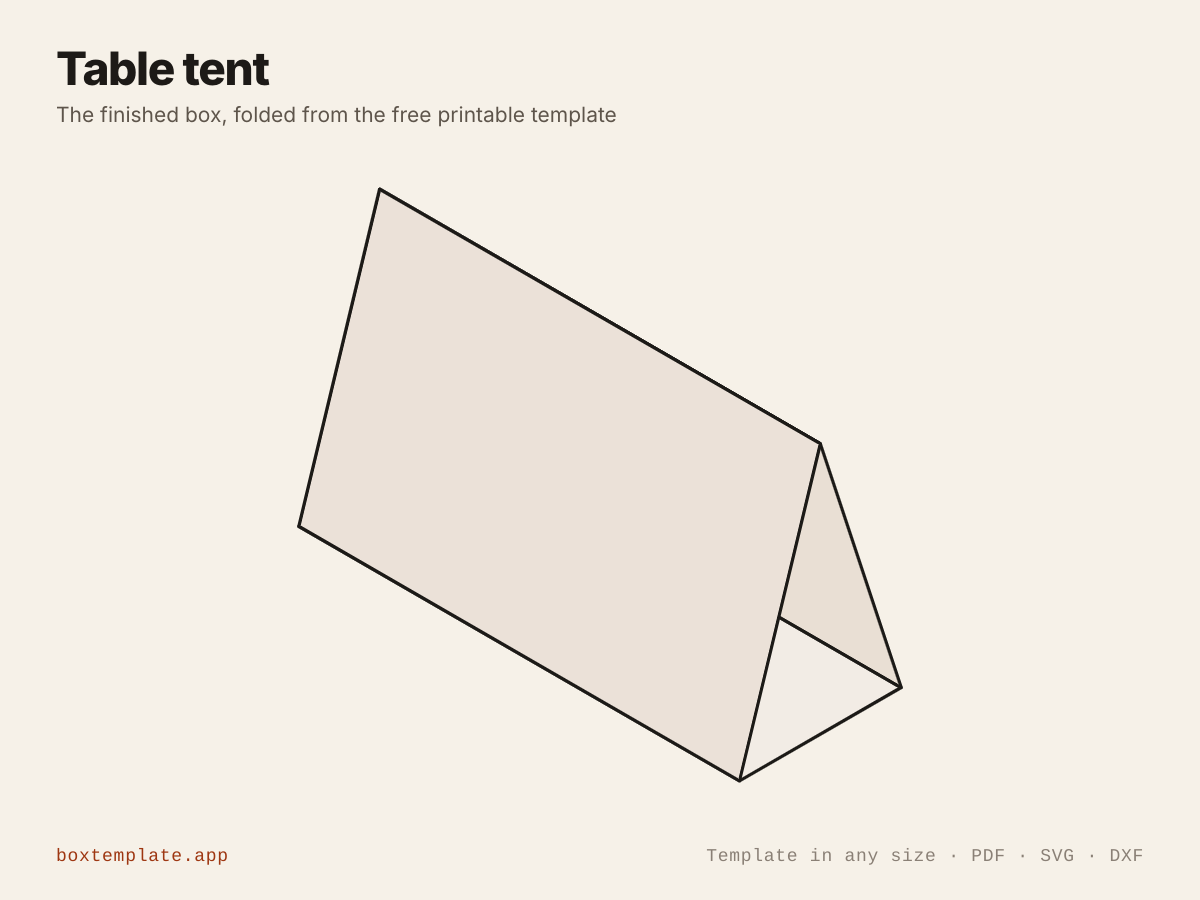
What this template is for
A standing triangle card for a table or counter: menus, prices, reserved signs, place names and event info. It locks shut with a tab through a slit, no glue, and folds flat again.
Also called tent card · table card · menu tent · place card stand — all the same shape, and this is it.
- Restaurant and café menus
- Price and product signs
- Wedding place names and table numbers
- Event and conference info
How to use this template
All four downloads are the same table tent at the same size — only the format changes.
- PDF printing at home
- Print at 100 per cent, or hand it to a print shop as "actual size, no scaling".
- PNG 300 dpi Canva, Photoshop, Procreate
- Upload, lock it in place and design your table tent on top. Free plan and phone included. Full Canva walkthrough →
- SVG Cricut, Illustrator, Inkscape, Affinity
- Vector, with cuts, folds and labels on separate layers. Cricut and Silhouette walkthrough →
- DXF Silhouette, laser and vinyl cutters
- Two layers, CUT and FOLD — and the one free Silhouette Studio Basic will open.
Printing it
- Type your size above, then download the PDF.
- Print at 100% — never “fit to page”, or every measurement comes out wrong.
- Too big for the paper? Pick your paper size and leave Fit the pieces to the page ticked: each piece gets its own place on a sheet and the PDF comes out with every page in it, nothing cut in half and nothing to tape.
How to put it together
These pictures are the table tent itself, not a generic diagram — change the measurements above and the template changes, but the three steps never do.
-
Cut the solid lines
Every solid line is a cut. Do the inside shapes first, while the sheet is still whole and easy to hold.
-
Score every dashed line
Dashed lines are folds. Score each one first — an empty ballpoint against a ruler — or the card cracks along the outside of the bend.
-
Fold, glue and hold
Cut out the card and the slit near the bottom of the FRONT. Crease the two fold lines and the tab. Fold it into a triangle and push the tab on the end of the BASE through the slit from inside. It stands on its own.
Glue: a glue stick for paper, white PVA on card — hold each seam thirty seconds, and let the box dry standing up.
Questions about the table tent
- How does it stay shut?
- The base runs under the tent and its tab goes through a slit just above the foot of the front, from the inside. The tab is cut as long as the base needs to reach that slit, worked out from the triangle.
- Which side do I print on?
- Both faces show. Put your design on the FRONT and BACK panels; the front is drawn upside down on the sheet because it folds over.
- Will it print on one sheet?
- Yes. The 150 × 90 mm tent it opens with prints on one A4 or US Letter sheet.
Print your own design on it
Add a logo, photo or pattern in the panel on the left and drag it onto the table tent. It is trimmed to the cut outline, embedded properly in the PDF, and never leaves your computer — most free template sites hand you the outline and stop there. How printing your own design works.
Templates like this one
See all 115 templates · For Canva · For Cricut · For Etsy sellers · Getting it printed
Collections: Wedding and party favour box templates · Christmas box templates · Food box templates