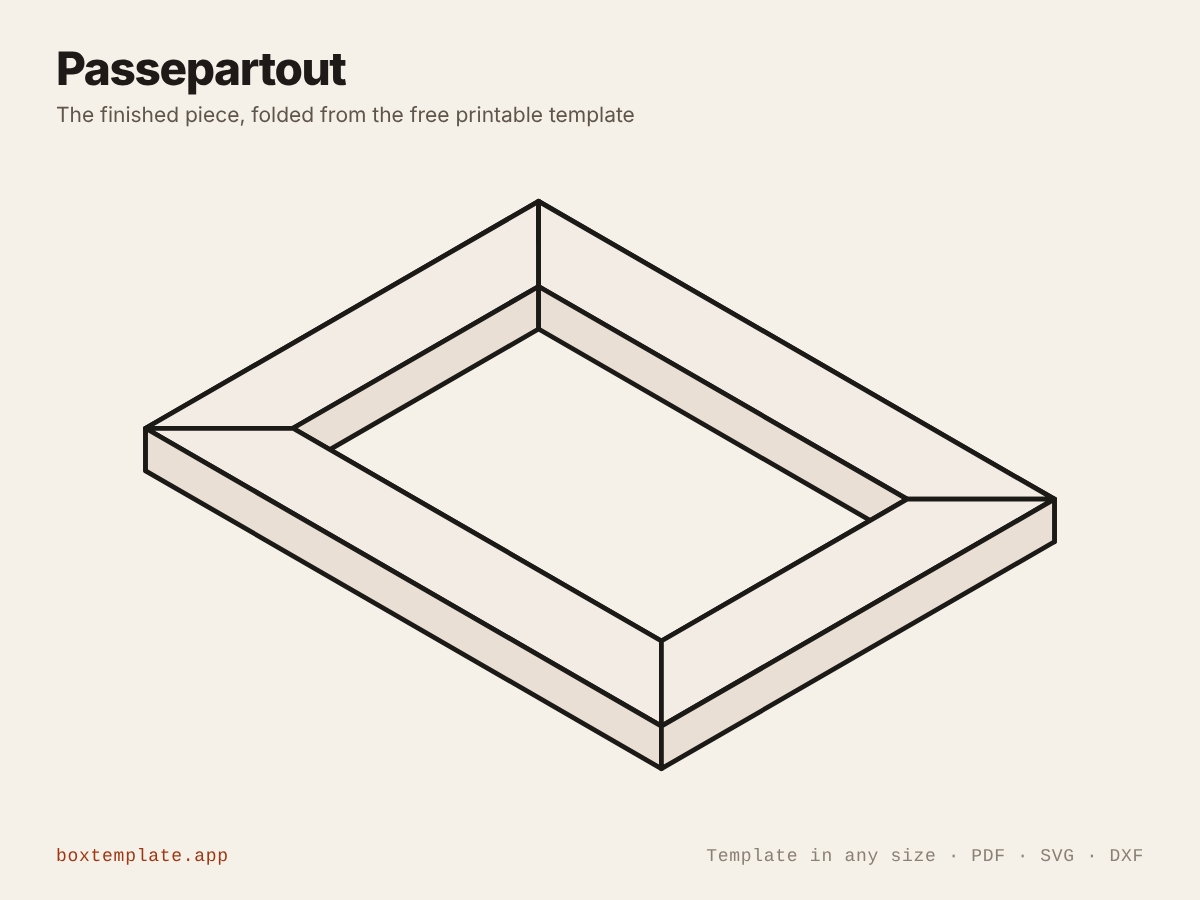
The passepartout template, flat and folded
What this template is for
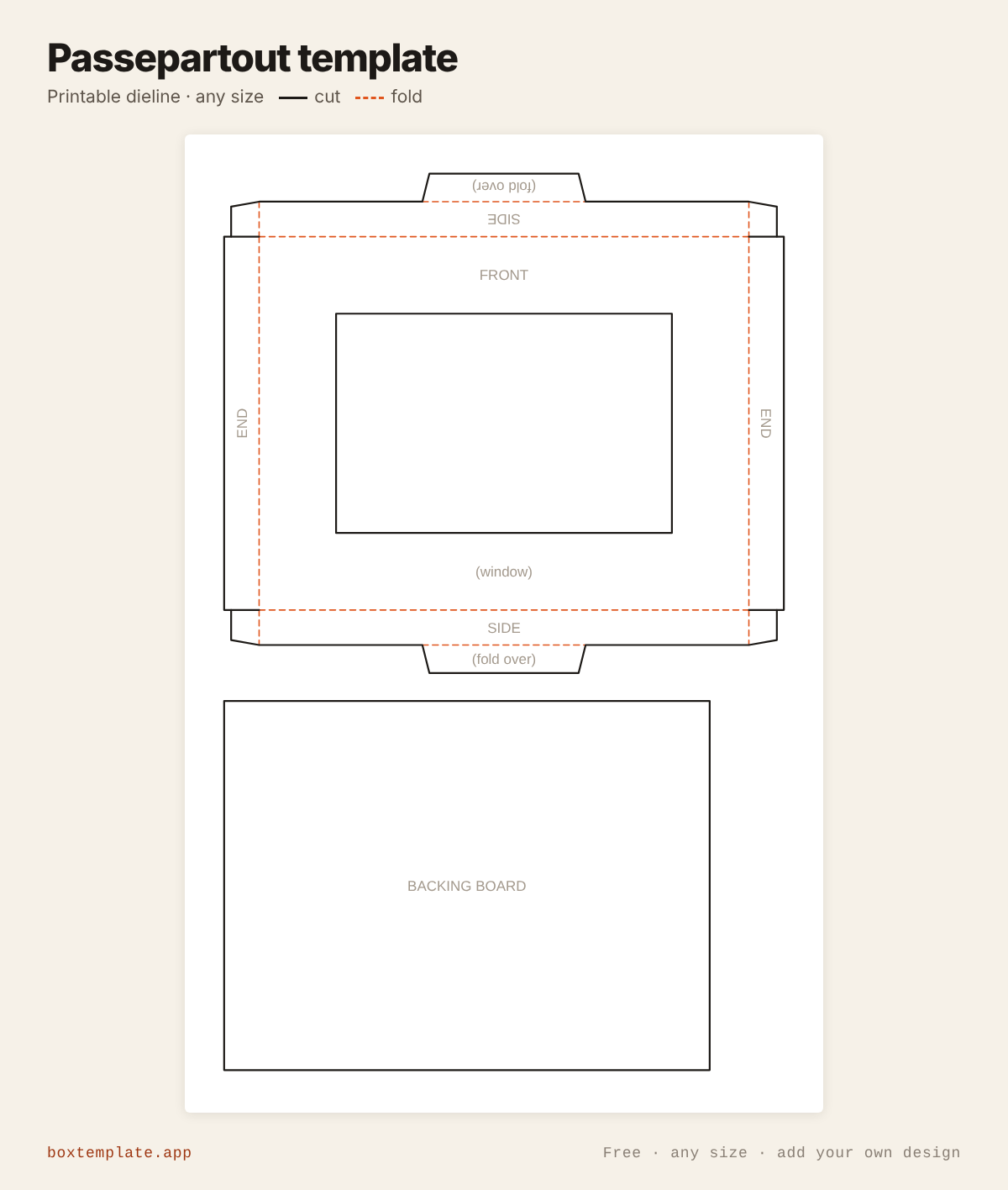
A window mount for a picture: a frame with an aperture cut in it, sides that fold back to give it depth, and a backing board.
Also called photo mount · window mat · picture mat · shadow box frame — all the same shape, and this is it.
- Photo mounts and picture mats
- Shadow box frames
- Art print presentation
- Certificate and award mounts
Common passepartout sizes
Standard picture sizes, length × width. Type the size of the picture itself: the window comes out a little smaller so the picture cannot fall through, and the border is added round it. Tap a size to open the template at it.
| Size | Measurements | Fits |
|---|---|---|
| 6 × 4 in | 6 × 4 in (152 × 102 mm) | Standard photo print |
| 7 × 5 in | 7 × 5 in (178 × 127 mm) | Portrait print or art card |
| A5 | 210 × 148 mm | A5 print or drawing |
| 10 × 8 in | 10 × 8 in (254 × 203 mm) | Large photo print |
| A4 | 297 × 210 mm | A4 print, certificate or drawing |
How to use this template
All four downloads are the same passepartout at the same size — only the format changes.
- PDF printing at home
- Print at 100 per cent, or hand it to a print shop as "actual size, no scaling".
- PNG 300 dpi Canva, Photoshop, Procreate
- Upload, lock it in place and design your passepartout on top. Free plan and phone included. Full Canva walkthrough →
- SVG Cricut, Illustrator, Inkscape, Affinity
- Vector, with cuts, folds and labels on separate layers. Cricut and Silhouette walkthrough →
- DXF Silhouette, laser and vinyl cutters
- Two layers, CUT and FOLD — and the one free Silhouette Studio Basic will open.
Printing it
- Type your size above, then download the PDF.
- Print at 100% — never “fit to page”, or every measurement comes out wrong.
- Too big for the paper? Pick your paper size and leave Fit the pieces to the page ticked: each piece gets its own place on a sheet and the PDF comes out with every page in it, nothing cut in half and nothing to tape.
How to put it together
These pictures are the passepartout itself, not a generic diagram — change the measurements above and the template changes, but the three steps never do.
-
Cut the solid lines
Every solid line is a cut. Do the inside shapes first, while the sheet is still whole and easy to hold.
-
Score every dashed line
Dashed lines are folds. Score each one first — an empty ballpoint against a ruler — or the card cracks along the outside of the bend.
-
Fold, glue and hold
Cut the window, fold the four sides back and glue the corner tabs so the frame stands off the wall. Tape the picture behind the window, drop the backing board in, and fold the two small flaps on the long sides over it to hold it in.
Glue: a glue stick for paper, white PVA on card — hold each seam thirty seconds, and let it dry before you use it.
Questions about the passepartout
- What is a passepartout?
- The card mount that sits between a picture and its frame — a border with a window cut in it. This one also folds back at the sides, so it stands off the wall on its own without a frame.
- How much should it overlap the picture?
- Three millimetres on each side is standard. That is enough to hold the picture in without the window looking like it is eating the image, and the aperture is worked out from your picture size minus twice that figure.
- Which way up does the border go?
- Traditionally the bottom border is slightly deeper than the other three, which stops the picture looking as if it is sliding down. This tool draws all four the same; add the extra by hand if you want the classical proportion.
Print your own design on it
Add a logo, photo or pattern in the panel on the left and drag it onto the passepartout. It is trimmed to the cut outline, embedded properly in the PDF, and never leaves your computer — most free template sites hand you the outline and stop there. How printing your own design works.
Templates like this one
See all 118 templates · For Canva · For Cricut · For Etsy sellers · Getting it printed
Collections: Wedding and party favour box templates · Christmas box templates · Food box templates