The advent calendar template, flat and folded
What this template is for
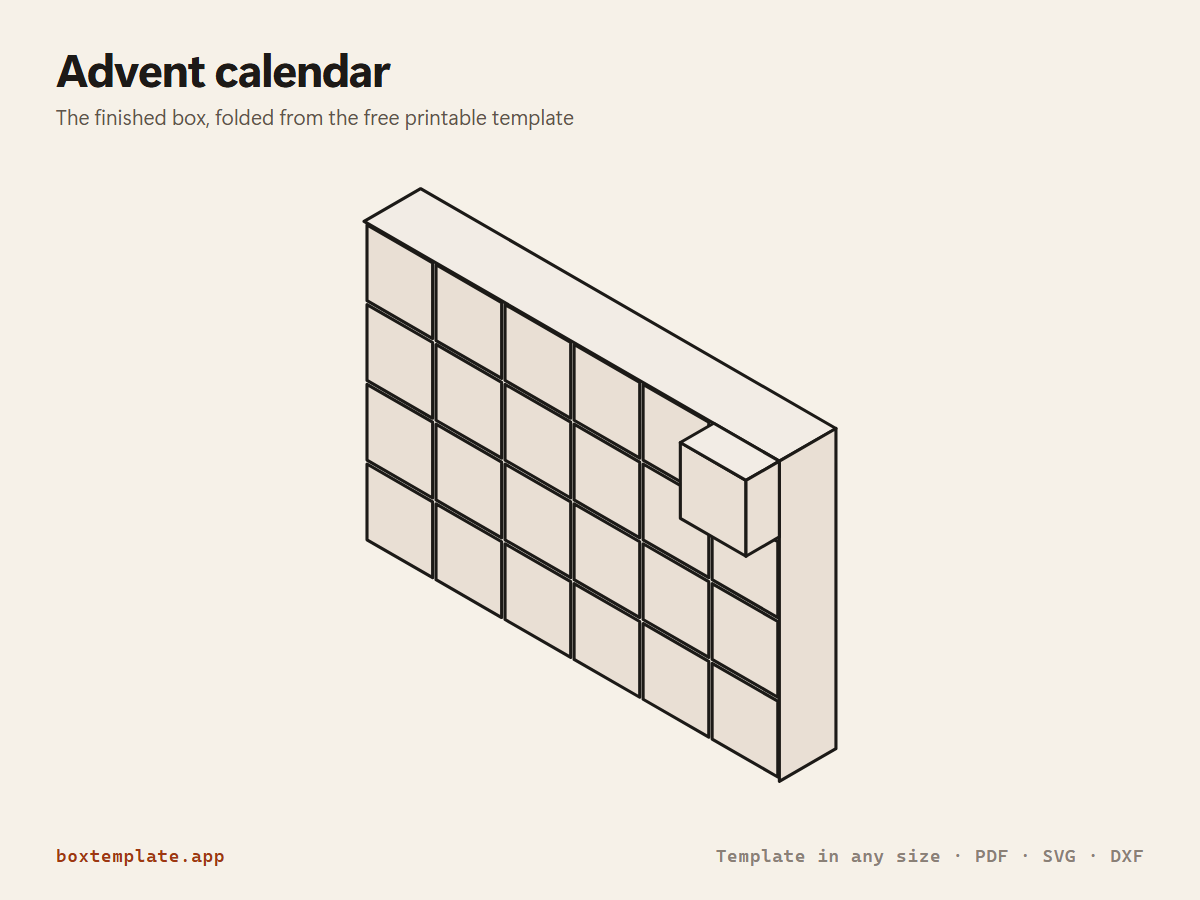
A cabinet of 24 numbered drawers, printed one sheet at a time so no drawer is ever cut across two pages. Christmas, Ramadan and countdown calendars, sized by the drawer.
Also called advent calendar box · advent drawers · christmas countdown box · drawer calendar — all the same shape, and this is it.
- Christmas advent calendars
- Ramadan and Eid countdown calendars
- Birthday and wedding countdowns
- Small-parts and bead drawers all year
How to use this template
All four downloads are the same advent calendar at the same size — only the format changes.
Which file goes where: PDF, PNG, SVG or DXF
- PDF printing at home
- Print at 100 per cent, or hand it to a print shop as "actual size, no scaling".
- PNG 300 dpi Canva, Photoshop, Procreate
- Upload, lock it in place and design your advent calendar on top. Free plan and phone included. Full Canva walkthrough →
- SVG Cricut, Illustrator, Inkscape, Affinity
- Vector, with cuts, folds and labels on separate layers. Cricut and Silhouette walkthrough →
- DXF Silhouette, laser and vinyl cutters
- Two layers, CUT and FOLD — and the one free Silhouette Studio Basic will open.
Getting it printed properly → · Putting your own design on it →
Printing it
- Type your size above, then download the PDF.
- Print at 100% — never “fit to page”, or every measurement comes out wrong.
- Too big for the paper? Pick your paper size and leave Fit the pieces to the page ticked: each piece gets its own place on a sheet and the PDF comes out with every page in it, nothing cut in half and nothing to tape.
How to put it together
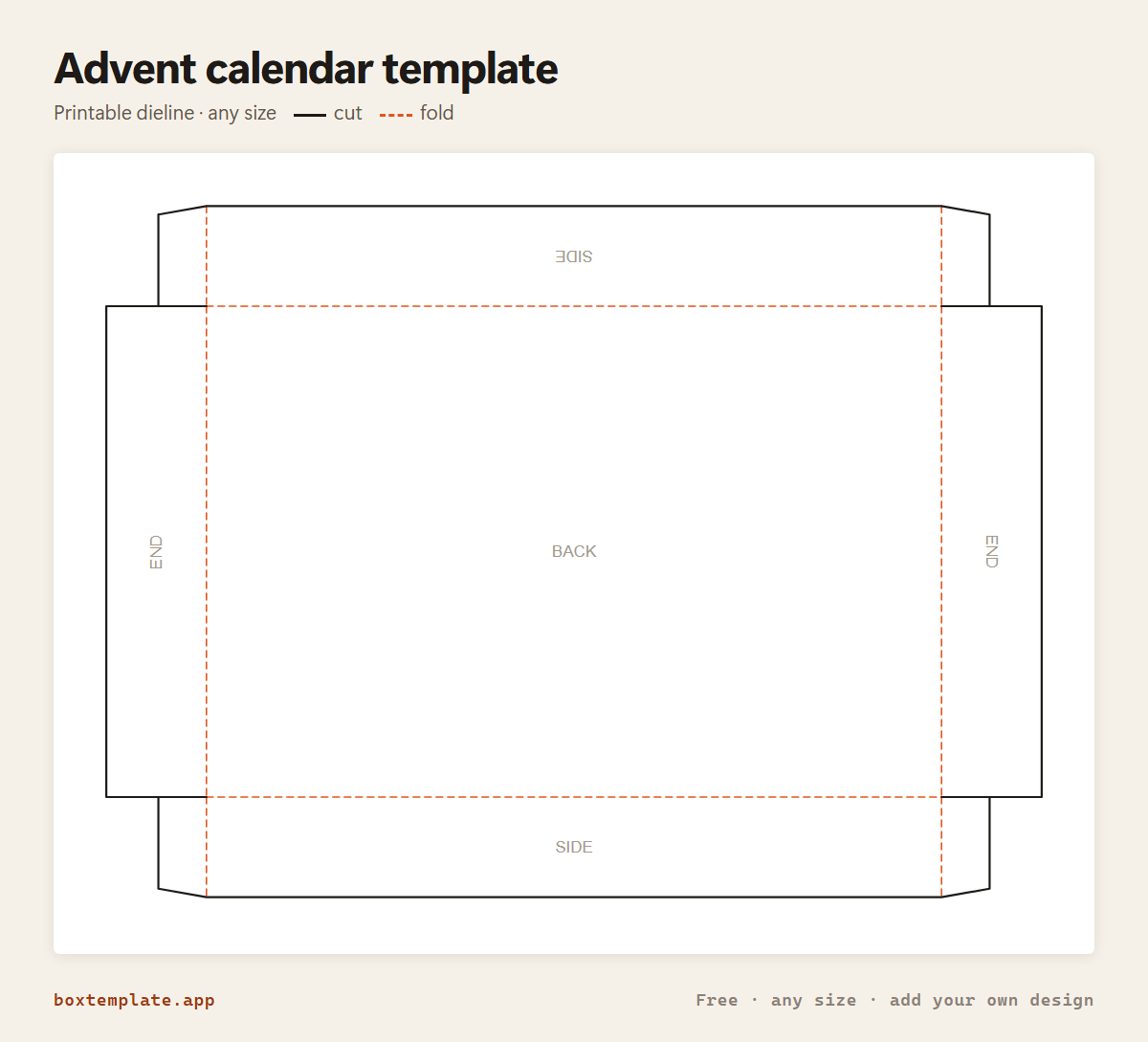
These pictures are the advent calendar itself, not a generic diagram — change the measurements above and the template changes, but the steps never do. The names in capitals are the labels printed on the template.
-
Cut the solid lines
Every solid line is a cut. Do the inside shapes first, while the sheet is still whole and easy to hold.
-
Score every dashed line
Dashed lines are folds. Score each one first — an empty ballpoint against a ruler — or the card cracks along the outside of the bend.
-
Step by step
- Print every sheet: change “Sheet to print” from 1 upwards.
- Sheet 1: fold the cabinet up like a tray round the CABINET BACK, glue its corner tabs, and stand it on its side, open face forwards.
- Sheet 2: slot the SHELF strips and DIVIDER strips together into a grid and push it into the cabinet.
- The other sheets: fold each DRAWER like a small tray and glue its corners.
- Fill each drawer and slide it into its cell, number facing out.
Glue: a glue stick for paper, white PVA on card — hold each seam thirty seconds, and let it dry before you use it.
Questions about the advent calendar
Why does it print one sheet at a time?
Because 24 drawers never fit on one sheet, and splitting one big drawing across pages cuts drawers in half at the page edges. So the template draws one printable sheet at a time: sheet 1 is the cabinet, sheet 2 the shelves and dividers, and sheets 3 onwards the drawers, as many to a sheet as fit on A4, numbered in order. Change “Sheet to print” and print each one. Sheet 0 draws everything at once for a cutting machine.
How many sheets is it?
At the size it opens with — 30 mm drawers, 25 mm deep, 6 across and 4 down — six sheets: the cabinet, the grid, and four sheets of six drawers. The note under the drawing always says which sheet you are on and how many there are. Every sheet fits A4 and US Letter. Bigger drawers take more sheets, never bigger ones — except the cabinet, which is one piece: above about 30 mm drawers it needs A3, and the note says so.
Can I change the number of drawers?
Yes — set drawers across and down. 6 × 4 is 24, 5 × 5 is 25 for a calendar that ends on Christmas Day, 4 × 3 is a twelve-day countdown. The drawers are numbered 1 upwards across the sheets, so they come out in order.
How does it go together?
The cabinet is a tray that stands on its side with its open face forwards. The shelves and dividers slot into each other like an egg crate and push into it, making a cell for every drawer. Each drawer is a small open tray, one millimetre smaller than its cell every way, with a finger notch in the front and its number on it.
Templates like this one

In these collections: Christmas box templates
Guides: Christmas paper crafts: gift boxes, stars and decorations to print and fold
See all 174 templates · For Canva · For Cricut · For Etsy sellers · Getting it printed
Collections: Wedding and party favour box templates · Christmas box templates · Food box templates · Diwali mithai box templates